
Family Locator - GPS Tracker1.3.0 - Google Play
You'll be able to see results in few seconds.
Publisher Description
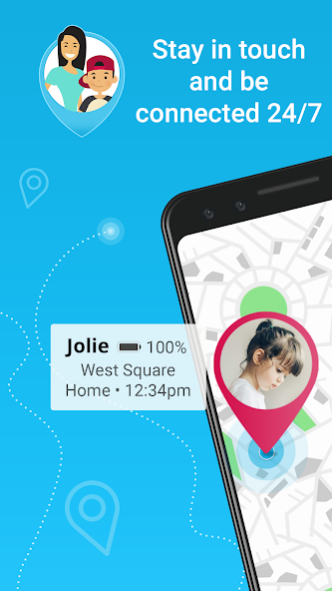


1⃣ Install Family Locator on your device & get your family members to install it on their phones too.
2⃣ Once everyone has created an account, create one Circle for your family and give your family members an invitation code.
3⃣ As soon as family members join the Circle they will appear on your map.
👉
WATCH THE USER MANUAL
👈
Family Locator helps to stay in touch with your Family members. Never miss out on important family events.
👪 With Family Locator cell phone app you will get these features:
• See Family Members on a private map which is only visible in your Family circle.
• Receive notifications when your Family members arrive or leave a created place, member’s phone battery gets low and etc.
• See location of lost cell phone from Family member.
• If you decide to subscribe to premium Family locator you will get “Steps competition ” feature, that will let you challenge your family members to achieve daily steps goals
• Private, only your Family Chat
• You will get more various features than those found on similar GPS tracker applications
In order for our mobile phone GPS tracker app to work properly, we need a few permissions from you. Getting started is quick and easy. After the first registration your cell phone app will be ready to use.
Here are some of permission and why we are asking them from you:
• Location – Family Locator lets you see your loved people and their location on your private Family Circle map. This permission allows us to show location quickly and accurately.
• Network – this connects you to the internet and family members. This will allow us to send and receive location information to/and from family members on your private Family Circle map.
• Camera – permission needed only if you want to identify (or by identified) in your private Family Circle with a profile picture.
More information about why we need them and how we use them you can find in our Privacy Policy.
How to Get Started with the Family Locator application:
Some permissions are needed for the app to work correctly and give the maximum benefit. Giving access to your location is the most important permission to give, as this allows the application to work with all features. You’ll be able to see where your family members are on a private map once this permission is given for you and your family circle members.
Other permissions include access to other phone subsystems, needed to send notifications and/or to maintain the service. You can get in touch if you have any concerns about any of the required permissions.
To add people members to your group, just get them to download the Family Locator and send them a request. Once accepted, you will stay connected to the people who matter most.
Your Peace of Mind
You don’t need worry about your family members safety no more. You can check on your child’s place by request him to check in and be notified when they arrive at school – and when they leave.
If their battery is running low, you can receive an alert and be notified of user address. If you’re the one that has to pick them up, you’ll be able to find them with ease.
When your kid is old enough to drive, you can receive notifications to let you know if they aren’t driving safely. If they exceed the speed limit, you’ll know, and you can take steps to ensure they are aware of the dangers.
It’s an ideal solution to keep them safe both at home and when they are out.
About Family Locator - GPS Tracker
The company that develops Family Locator - GPS Tracker is Family Locator. The latest version released by its developer is 1.3.0.
To install Family Locator - GPS Tracker on your Android device, just click the green Continue To App button above to start the installation process. The app is listed on our website since 2023-08-24 and was downloaded 0 times. We have already checked if the download link is safe, however for your own protection we recommend that you scan the downloaded app with your antivirus. Your antivirus may detect the Family Locator - GPS Tracker as malware if the download link to com.family.locator.familylocator.app.new.navigacijos.mb is broken.
How to install Family Locator - GPS Tracker on your Android device:
- Click on the Continue To App button on our website. This will redirect you to Google Play.
- Once the Family Locator - GPS Tracker is shown in the Google Play listing of your Android device, you can start its download and installation. Tap on the Install button located below the search bar and to the right of the app icon.
- A pop-up window with the permissions required by Family Locator - GPS Tracker will be shown. Click on Accept to continue the process.
- Family Locator - GPS Tracker will be downloaded onto your device, displaying a progress. Once the download completes, the installation will start and you'll get a notification after the installation is finished.
Program Details
System requirements
Download information
Pricing
Version History
version 1.3.0
posted on 2023-08-24
-Fix a problem with maps;
version 1.2.9
posted on 2023-08-19
version 1.2.6
posted on 2021-05-06
-Fix a problem with Steps Challenge;
version 1.2.4
posted on 2021-03-17
-Fixed problem in login screen;
version 1.1.8
posted on 2020-10-28
-Fix a problem with location updates;
-Fix a problem with reset password window;
-Stability improvements;
version 1.1.6
posted on 2020-08-10
-Fix a problem in history section;
version 1.1.5
posted on 2020-08-02
-Bug fixes;
version 1.1.4
posted on 2020-07-30
-New features added;
version 1.1.3
posted on 2020-07-27
-Layout edit;
-Stability improvements;
version 1.1.1
posted on 2019-08-01
- Bugs fixes;
Disclaimer
Official Google Play Link
We do not host Family Locator - GPS Tracker on our servers. We did not scan it for viruses, adware, spyware or other type of malware. This app is hosted by Google and passed their terms and conditions to be listed there. We recommend caution when installing it.
The Google Play link for Family Locator - GPS Tracker is provided to you by apps112.com without any warranties, representations or guarantees of any kind, so access it at your own risk.
If you have questions regarding this particular app contact the publisher directly. For questions about the functionalities of apps112.com contact us.
